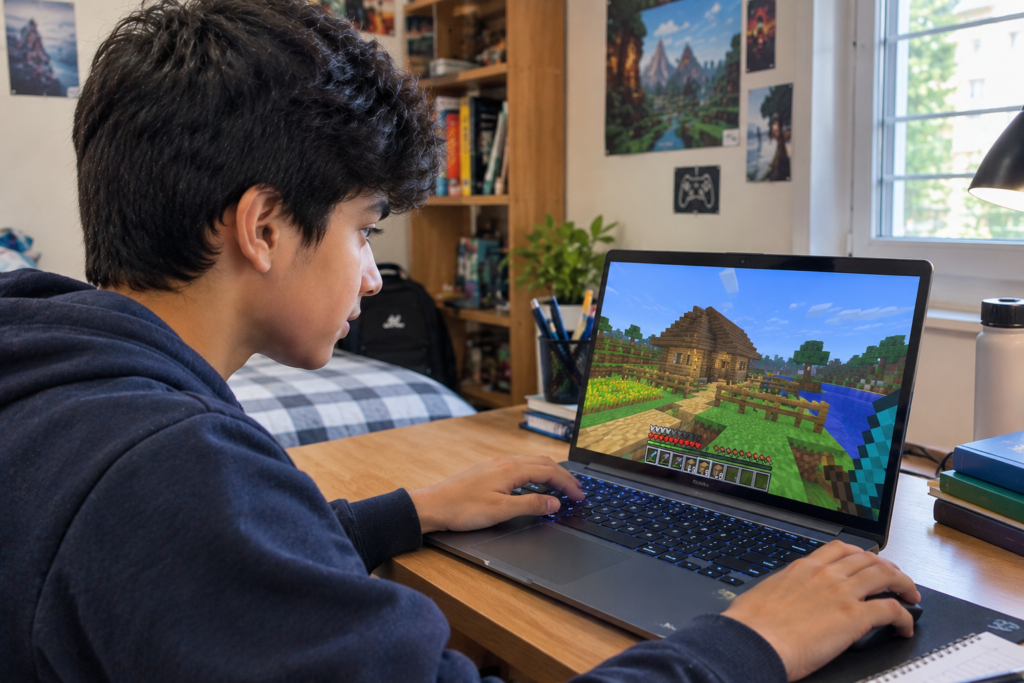
Minecraft has become more than a game because its creative environment can support learning, problem-solving, teamwork, and digital skills. Teachers and students can use customized content to create more engaging classroom activities and interactive projects. The phrase minecraft education mods is commonly used when people search for ways to change or expand the Minecraft Education experience. However, it is important to understand the difference between traditional Minecraft mods and Education-compatible add-ons. Minecraft Education is built around a classroom-focused version of the Bedrock engine, so its customization options work differently from Java Edition mods. Understanding these differences helps educators select suitable content for lessons and student activities.
What Are Minecraft Education Mods?
When people search for Minecraft Education mods, they are generally looking for ways to add new features, objects, characters, environments, or gameplay mechanics to Minecraft Education. Traditional Minecraft mods are usually created for Java Edition and can make substantial changes to the game through external modding systems.
Minecraft Education does not officially support traditional Java Edition mods or third-party mods. Instead, its current customization approach uses Bedrock-compatible Add-Ons. According to Minecraft Education documentation, Add-Ons can modify the look, sound, and behavior of game worlds. They can include resource packs, behavior packs, combined Add-On files, and complete world templates.
This distinction is important because downloading a Java mod and expecting it to work in Minecraft Education can result in compatibility problems. Educators should look for content specifically designed for Minecraft Education or compatible with its supported Bedrock-based system.
How Add-Ons Work in Minecraft Education
Add-Ons allow teachers to change selected parts of the Minecraft environment without replacing the entire educational platform. They can introduce new blocks, visual elements, characters, structures, tools, and other interactive features.
Minecraft Education describes several types of Add-On content. Resource Packs can change textures, sounds, visual elements, blocks, items, and parts of the interface. Behavior Packs can modify entity behavior, game rules, recipes, loot tables, and spawning systems. An Add-On bundle can contain both resource and behavior components, while a world template can provide a complete prepared environment.
This structure gives teachers more flexibility when creating lessons. Instead of asking students to learn an entirely different application, an educator can adapt a familiar Minecraft environment around a particular learning objective.
Why Minecraft Education Customization Matters
One of the biggest advantages of customized Minecraft content is that it can make abstract concepts easier to explore. Students can interact with virtual objects instead of only reading about them in textbooks.
For example, mathematics lessons can use blocks or interactive tools to demonstrate numbers, geometry, ratios, probability, and spatial relationships. Science lessons can create environments where students investigate ecosystems, chemistry concepts, energy, or environmental topics.
History classes can also benefit from themed characters and structures. A teacher could create a virtual historical environment and ask students to investigate architecture, geography, trade, culture, or daily life.
Minecraft Education already provides curriculum-oriented lessons across subjects including mathematics, science, computer science, history, language, arts, and design. Add-Ons can provide another layer of customization around those learning activities.
Minecraft Education Mods for Mathematics
Mathematics is one area where Minecraft-style customization can make lessons more interactive. Traditional mathematical diagrams can sometimes feel disconnected from real-world situations. A three-dimensional Minecraft environment can give students a space where they physically build, measure, compare, and calculate.
Number blocks, for example, can help learners visualize numerical relationships. Teachers can create construction challenges that require students to calculate area, volume, distance, scale, or proportions.
Probability can also become more interactive when students use game-based tools such as dice or random number generators. Rather than simply calculating theoretical probability on paper, students can perform repeated trials and compare their results with expected outcomes.
These activities can be adjusted for different age groups. Younger students may work with counting, shapes, and basic measurement, while older students can explore algebraic thinking, statistics, geometry, and mathematical modeling.
Minecraft Education Mods for Science
Science provides another strong use case for customized Minecraft experiences. Students can explore systems and processes through virtual environments while discussing the scientific principles behind them.
A teacher might design an ecosystem activity where students observe relationships between plants, animals, water, and environmental conditions. Another lesson could use specialized objects or environments to introduce chemistry concepts.
Minecraft Education also includes a Chemistry Resource Pack and other science-oriented educational content. Customized environments can complement these resources by giving students opportunities to investigate questions, make observations, and discuss results.
The most effective activities are usually connected to a clear learning objective. Simply adding new objects does not automatically create an educational experience. The content should help students investigate a concept or complete a meaningful task.
Minecraft Education Mods for History
History lessons can sometimes benefit from visual reconstruction. Students may understand a historical period differently when they can walk through a representation of buildings, settlements, or cultural environments.
Educational Add-Ons can include historically themed characters and structures. Minecraft Education has highlighted content inspired by ancient Greek, Roman, and Egyptian cultures, allowing educators to incorporate role-play and storytelling into lessons.
A history project could ask students to explore a recreated setting, identify important architectural features, research the society represented, and then create their own interpretation.
This approach can also encourage writing and communication skills. After completing a Minecraft project, students can prepare presentations, reports, or explanations about what they built and why.
Minecraft Education Mods for Coding
Minecraft Education is also closely connected with coding education. Students can use the platform to develop computational thinking and explore programming concepts.
Coding activities can involve instructions, sequences, loops, conditions, automation, and problem-solving. Students can see the consequences of their code within a virtual environment, which can make programming concepts easier to visualize.
Customized Minecraft environments can provide additional challenges for coding exercises. For example, a teacher might create a building challenge where students need to program an agent to collect resources or construct a particular structure.
The combination of coding and game-based challenges can encourage students to test ideas, identify errors, modify instructions, and try again.
Minecraft Education Mods for Creative Projects
Not every educational activity needs to look like a traditional lesson. Creative projects can encourage students to research a topic and then demonstrate their understanding through construction.
Students might create a sustainable city, design a historical settlement, construct a scientific model, or build a virtual museum. Add-Ons can provide structures, objects, characters, and visual elements that make these projects more detailed.
Creative projects can also support collaboration. Groups can divide responsibilities, plan their work, communicate about design decisions, and present their final result to classmates.
This makes Minecraft useful for project-based learning where students are expected to create something rather than simply answer questions.
How Teachers Can Use Add-Ons Effectively
Teachers should begin with the learning objective rather than the customization itself. The first question should be what students need to understand or practice. Once that objective is established, the educator can determine whether an Add-On would improve the activity.
It is also useful to test customized content before introducing it to an entire class. Minecraft Education documentation recommends testing content in a separate world before using it with students.
Teachers should also consider device performance and classroom management. A complicated environment with numerous custom elements may require more preparation than a simple world. The activity should remain understandable and manageable for the students using it.
Another important consideration is compatibility. Minecraft Education does not officially support traditional Java Edition mods, so educators should use supported Bedrock-compatible formats and content designed for the platform.
Difference Between Minecraft Mods and Add-Ons
The words “mods” and “Add-Ons” are often used interchangeably in online searches, but they are not exactly the same.
Traditional Minecraft mods generally refer to modifications associated with Java Edition and third-party modding frameworks. These modifications can introduce extensive changes to gameplay.
Minecraft Education uses a different approach. Its supported customization system is based on Add-Ons, including Resource Packs and Behavior Packs. These are designed around the Bedrock technology used by Minecraft Education.
Understanding this difference can save teachers time and prevent installation problems. If a website advertises a Java-only mod, it should not be assumed that the same file will work in Minecraft Education.
Are Minecraft Education Mods Safe for Students?
Safety is especially important in educational environments. Minecraft Education is designed with classroom use in mind and includes features intended to support secure learning environments.
However, educators should still be careful with third-party files. Unknown downloads can introduce compatibility problems or unwanted content. Minecraft Education’s own documentation specifically advises using supported Add-On formats and testing content separately before deploying it to students.
Schools may also have IT policies governing which files can be installed or imported. Teachers should follow their institution’s technology rules when introducing customized content.
Benefits for Student Engagement
Game-based learning can give students a different way to approach academic topics. Minecraft Education is designed to support collaboration, creativity, problem-solving, coding, and curriculum-based activities.
Customization can make an existing lesson feel more interactive. A mathematics activity can become a construction challenge, a history lesson can become an exploration project, and a science topic can become an investigation inside a virtual environment.
The important factor is purposeful design. The game should support the learning goal rather than distract from it. When customization is connected directly to the assignment, students can use Minecraft as a tool for demonstrating knowledge.
Using Minecraft Education in Group Learning
Multiplayer activities can encourage communication and teamwork. Students can work together to plan a structure, solve a challenge, or create a shared project.
Teachers can assign different roles within a project. One student might research the subject, another could handle construction, while others document the process or prepare the final presentation.
This approach can help students practice skills that extend beyond the game itself. Communication, planning, collaboration, creativity, and problem-solving can all become part of the activity.
Minecraft Education is specifically designed to support collaborative learning, including group projects and classroom activities.
Common Challenges When Using Minecraft Education Mods
The first challenge is confusion about compatibility. Students may find online videos discussing Java mods and assume those modifications will work in Minecraft Education. They generally will not.
Another challenge is choosing content that actually supports learning. An Add-On may look impressive but have little educational value. Teachers should connect every customization to a specific lesson goal.
Technical issues can also occur. Files may be incompatible, worlds may behave unexpectedly, or an Add-On may not work as intended after an update. Testing before classroom use can reduce these problems.
Finally, teachers need to consider lesson time. Students may spend too much time exploring the environment if the task is not clearly explained. Clear instructions and defined objectives can help maintain focus.
The Future of Minecraft Education Customization
Minecraft Education’s Add-On system creates opportunities for increasingly customized educational experiences. Official Minecraft Education materials describe Add-Ons that can introduce mathematical blocks, historical characters, structures, tools, and themed content.
As educational technology continues to develop, customized virtual environments may become increasingly useful for project-based activities. Teachers can potentially combine building, storytelling, coding, research, and collaboration within one learning experience.
The long-term value will depend on how effectively educators connect these tools with curriculum objectives. Technology works best when it supports a meaningful learning task rather than becoming the focus of the lesson itself.
Conclusion
Minecraft Education offers a flexible environment where students can learn through building, exploration, experimentation, coding, and collaboration. Although many people search for minecraft education mods, it is important to understand that Minecraft Education does not officially support traditional Java Edition mods. Instead, educators can use supported Add-Ons and related content to customize learning environments. These tools can support mathematics, science, history, coding, creative projects, and group activities. With careful planning, compatibility testing, and clear educational objectives, customized Minecraft experiences can turn familiar game mechanics into engaging opportunities for students to explore academic concepts.
FAQs
Can you use mods in Minecraft Education?
Minecraft Education does not officially support traditional Java Edition mods. It supports Bedrock-compatible Add-Ons and related content designed for its educational environment.
What is the difference between a Minecraft mod and an Add-On?
Traditional mods are generally associated with Java Edition and third-party modding systems. Add-Ons are the supported customization method used with Minecraft Education’s Bedrock-based platform.
Can Minecraft Education Add-Ons change gameplay?
Yes. Supported Add-Ons can modify visual elements, sounds, entity behavior, game rules, recipes, structures, and other parts of a Minecraft world, depending on the type of content.
Are Minecraft Education Add-Ons useful for classroom lessons?
They can be useful when connected to a specific learning objective. Teachers can use customized content to support subjects such as mathematics, science, history, coding, and creative design.
Can students use Minecraft Education for coding?
Yes. Minecraft Education includes coding-related features and learning activities that help students explore programming and computational thinking.
Can Minecraft Education be used for homeschool learning?
Yes. Minecraft Education provides options and resources for homeschool organizations and learning outside traditional classrooms.
Should teachers test Add-Ons before using them with students?
Yes. Testing customized content in a separate world can help educators identify compatibility or gameplay issues before introducing the content to a class.
Do Java Minecraft mods work with Minecraft Education?
Traditional Java Edition mods should not be expected to work with Minecraft Education. Educators should use supported content and formats designed for the Bedrock-based Education platform.
Can Minecraft Education Add-Ons support history lessons?
Yes. Educational Add-Ons can provide themed characters, structures, and environments that teachers can incorporate into historical exploration, storytelling, research, and project-based activities.
What should teachers consider before using an Add-On?
Teachers should consider compatibility, classroom policies, device performance, student age, lesson objectives, ease of use, and whether the customization genuinely improves the learning activity.
| Read Also : LEGO Education and Its Role in Hands On Learning |