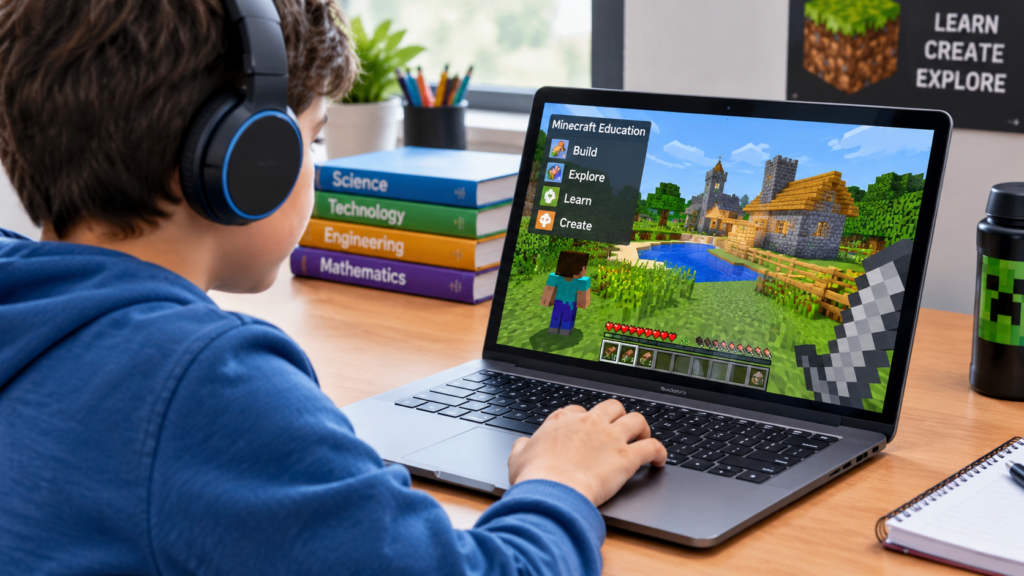
Digital games are increasingly being explored as tools for creative and interactive learning. Minecraft has attracted attention in education because its open-ended environment allows learners to build, explore, experiment, and collaborate while working on different academic activities. minecraft education mods can add new possibilities to this experience by introducing additional features, learning resources, environments, or mechanics that may support specific educational goals. When used thoughtfully, game-based learning can encourage students to participate actively rather than simply receive information. Understanding how educational modifications work, where they can be useful, and what teachers should consider before using them can help schools make informed decisions about interactive digital learning.
Understanding Minecraft in Education
Minecraft provides a digital environment where players can explore landscapes, collect resources, create structures, and solve problems. Its open-ended design makes it different from many traditional educational applications.
In an educational setting, the game can be used to create activities connected with subjects such as mathematics, science, history, geography, language arts, and computer science.
Students can work individually or collaboratively. A teacher might create a building challenge, ask students to recreate a historical environment, or design a project requiring measurement and planning.
The value of the platform comes partly from its flexibility. Rather than following only one predetermined activity, students can interact with digital environments and create their own solutions.
What Educational Mods Can Add
Modifications can change or expand aspects of a game. Depending on the environment and compatibility requirements, modifications may introduce new items, characters, mechanics, environments, tools, or activities.
In an educational context, these additions can be designed around specific learning objectives.
For example, an activity could introduce specialized objects for a science lesson or create an environment that encourages students to explore geography.
However, not every modification is appropriate for educational use. Teachers should consider whether a particular addition supports the lesson or simply adds entertainment.
The most useful resources are those that connect directly with the intended learning outcome.
Learning Through Construction
Building is one of the most recognizable activities in Minecraft. Students can use blocks to create structures and environments while developing planning and spatial skills.
A classroom project could involve designing a sustainable city, constructing a scale model, or recreating a historical building.
Such activities can involve multiple academic concepts. Students may need to calculate dimensions, consider materials, interpret plans, and explain design choices.
Construction-based projects can also encourage creativity. Students are not limited to selecting one correct answer when a task allows multiple possible designs.
Teachers can assess both the finished project and the reasoning behind it.
Mathematics Applications
Minecraft can provide opportunities to apply mathematical concepts in an interactive environment.
Students can work with measurement, area, volume, ratios, coordinates, geometry, and basic arithmetic through building and exploration activities.
For example, a teacher could ask students to design a rectangular structure with specific dimensions and calculate its area or volume.
Coordinate systems can also be explored by having students identify locations within a digital world.
These activities can help connect abstract mathematical ideas with visible objects and spaces. Students can see how numerical changes affect a structure rather than working only with symbols on a worksheet.
Science Learning
Science education can also benefit from interactive digital environments. Teachers can create activities related to ecosystems, environmental changes, materials, agriculture, and natural processes.
Students may investigate how different resources interact or create models representing scientific systems.
A digital environment can also provide a safe space for experimentation. Students can test ideas, observe outcomes, and modify their designs.
The platform does not replace real laboratory experiences, but it can supplement them by providing another way to visualize concepts.
Teachers should clearly distinguish between game mechanics and real-world scientific processes so students understand which elements represent actual science and which are part of the digital environment.
History and Social Studies
Historical learning can become more engaging when students interact with environments connected to a particular period or location.
Students may recreate buildings, settlements, monuments, or other structures while researching their historical context.
A project could require students to research a particular civilization and then build a digital representation based on evidence.
This approach can combine research, writing, design, and presentation.
Students should be encouraged to distinguish between historically supported details and creative additions. This helps maintain academic accuracy while still allowing room for imagination.
Geography and Environmental Studies
Geography involves understanding locations, landscapes, resources, populations, and relationships between people and environments.
Minecraft’s three-dimensional world can provide a visual way to explore some of these concepts.
Students can create maps, represent different landforms, design settlements, or explore environmental planning scenarios.
A classroom project might ask students to design a community that considers water availability, transportation, housing, and environmental conditions.
Such activities can encourage students to think about how physical geography influences human decisions.
Coding and Computer Science
Minecraft can also support introductory computer science activities. Depending on the educational environment and available tools, students may explore commands, logic, automation, or programming concepts.
Coding activities can introduce ideas such as sequences, conditions, loops, and problem solving.
For beginners, visual programming approaches can make programming concepts easier to understand because students can see the results of their instructions inside a familiar digital environment.
More advanced students can use programming challenges to automate tasks or create interactive experiences.
The focus should remain on computational thinking rather than simply completing a game-related task.
Collaboration and Teamwork
Multiplayer educational activities can provide opportunities for collaboration. Students may work together on large construction projects, solve challenges, divide responsibilities, or present completed work.
Group projects can encourage communication and planning. Students need to decide who will complete particular tasks and how different parts of a project will fit together.
Teachers can use these activities to discuss teamwork and project management.
Clear roles can help prevent one student from completing all the work. Groups might assign responsibilities such as researcher, builder, designer, tester, or presenter.
Collaboration can therefore become part of the learning objective rather than simply a feature of the game.
Creativity and Student Expression
Creative expression is another potential benefit of game-based learning. Students can represent ideas through digital structures, landscapes, stories, and interactive environments.
A learner who finds traditional written assignments difficult may demonstrate understanding through a combination of building and explanation.
For example, a student could create a digital environment representing a story setting and then describe the choices made during construction.
Teachers can encourage creativity while still establishing clear academic requirements.
This balance helps ensure that creative projects remain connected to learning objectives.
Project-Based Learning
Minecraft activities can fit naturally into project-based learning. Instead of completing a series of isolated exercises, students can work toward a larger project that requires research, planning, creation, revision, and presentation.
A project might take several lessons and involve multiple subjects.
For example, students could design a sustainable community. Mathematics could cover measurements and calculations, science could address environmental considerations, social studies could examine community organization, and language arts could involve writing a project proposal.
This interdisciplinary structure can show students how different subjects connect.
Teacher Planning and Classroom Management
Successful use of Minecraft in education requires careful planning. Teachers should establish clear goals before introducing a digital activity.
Students need to understand what they are expected to learn, what they need to create, and how their work will be evaluated.
Technical instructions should also be provided before the main activity begins. Students unfamiliar with the platform may require time to learn basic controls.
Classroom rules are equally important. Teachers can establish expectations regarding collaboration, communication, appropriate content, and responsible use of digital resources.
Planning can reduce technical distractions and keep the activity focused on education.
Assessment of Minecraft-Based Activities
Assessment should focus on learning rather than simply judging how impressive a digital construction looks.
Teachers can evaluate research quality, mathematical accuracy, scientific understanding, creativity, problem-solving, communication, and collaboration depending on the project.
Rubrics can help students understand expectations before beginning an assignment.
Students may also submit written explanations, presentations, screenshots, design plans, or reflections alongside their digital projects.
Reflection is particularly useful because it allows students to explain what they learned, what challenges they encountered, and how they changed their approach.
Accessibility and Different Learning Needs
Digital learning activities should consider the needs of different students. Some learners may benefit from visual environments, while others may find complex interfaces difficult to navigate.
Teachers can provide instructions in different formats and allow appropriate alternatives when needed.
Students with different levels of gaming experience may also require different amounts of support.
Accessibility should be considered before the activity begins. Teachers can test controls, instructions, and resources to identify potential barriers.
The goal is to make participation meaningful rather than assuming that every student will interact with the platform in the same way.
Online Safety and Responsible Use
Any online learning environment requires attention to safety and responsible digital behavior.
Teachers should establish appropriate rules for communication and collaboration. Students should understand how to interact respectfully with classmates and protect personal information.
Schools should also consider account management, permissions, privacy, and access to external resources.
Educational technology should be introduced within the school’s broader digital safety policies.
Teaching responsible online behavior alongside game-based activities can help students develop skills that are relevant beyond the classroom.
Challenges of Using Mods and Digital Additions
Educational modifications can introduce technical and management challenges. Compatibility problems, updates, installation requirements, and device limitations may affect classroom use.
A modification that works in one environment may not work in another.
Teachers should test resources before using them with students. They should also have an alternative activity available in case technical problems occur.
Another challenge is maintaining educational focus. Students may become more interested in game mechanics than the learning objective.
Clear instructions and assessment criteria can help maintain balance.
Choosing Appropriate Educational Resources
When selecting modifications or other Minecraft resources, teachers can consider several factors.
The first question should be whether the resource supports a specific learning objective. Teachers can then examine age suitability, technical requirements, accessibility, safety, ease of use, and classroom management considerations.
Resources should also be tested before being introduced to a full class.
It can be useful to begin with a small activity rather than immediately creating a large project. Teachers can evaluate student responses and make improvements before expanding the approach.
The Future of Game-Based Learning
Game-based learning is likely to continue developing as educational technology becomes more interactive. Virtual environments can provide students with spaces for experimentation, collaboration, creativity, and problem solving.
Minecraft is one example of how an entertainment-oriented digital environment can be adapted for educational purposes.
Future classroom experiences may combine game environments with artificial intelligence, virtual reality, data analysis, and collaborative digital tools.
The most effective approaches will likely remain focused on clear educational goals. Technology can provide the environment, but teachers determine how activities are connected to meaningful learning.
Conclusion
Minecraft-based educational activities can provide students with interactive ways to explore concepts, solve problems, collaborate, and express ideas. Modifications and additional resources can expand the possibilities of the platform when they are selected carefully and connected to specific learning objectives. Mathematics, science, history, geography, coding, creativity, and teamwork can all become part of structured digital projects. At the same time, teachers need to consider accessibility, technical requirements, safety, assessment, and classroom management. When technology is used as a learning tool rather than simply entertainment, digital environments can offer students new ways to participate and demonstrate understanding.
FAQs
What are Minecraft education mods?
They are modifications or digital additions that can change or expand aspects of Minecraft for particular purposes. In educational settings, they may be used to support specific classroom activities or learning objectives.
Can Minecraft be used for classroom learning?
Yes. Teachers can use Minecraft-based activities for subjects such as mathematics, science, history, geography, coding, and creative projects.
How can Minecraft support mathematics?
Students can explore concepts such as measurement, area, volume, coordinates, geometry, ratios, and arithmetic through building and problem-solving activities.
Can Minecraft help students learn coding?
It can provide opportunities to explore commands, logic, automation, programming concepts, and computational thinking depending on the educational tools being used.
Is Minecraft suitable for project-based learning?
Yes. Students can work on larger projects involving research, planning, construction, revision, collaboration, and presentation.
How can teachers assess Minecraft projects?
Teachers can assess factors such as accuracy, research, reasoning, creativity, problem solving, collaboration, and communication. Written reflections or presentations can supplement the digital project.
What challenges can teachers face?
Common challenges can include technical compatibility, device limitations, student familiarity with the platform, classroom management, and keeping activities focused on educational goals.
Are all Minecraft modifications suitable for students?
No. Teachers should evaluate resources for age suitability, educational relevance, safety, accessibility, technical requirements, and compatibility before classroom use.
How can Minecraft encourage teamwork?
Students can collaborate on shared projects, divide responsibilities, solve problems together, communicate ideas, and combine individual contributions into a larger creation.
Can Minecraft support science education?
It can supplement science instruction through digital models, environmental projects, resource-based activities, and interactive representations of scientific concepts.
Why is teacher planning important?
Planning ensures that the activity has clear learning objectives, appropriate instructions, assessment criteria, safety expectations, and technical preparation.
Does Minecraft replace traditional teaching?
No. It is best viewed as a supplementary learning environment. Teachers remain responsible for instruction, guidance, feedback, assessment, and connecting activities to curriculum goals.
Pingback: Mississippi Department of Education and Its Role in Public Education - Classroom Mindset